Java微服务应用测试,走起
公众号:杨建荣的学习笔记 · 作者:r15笔记第98天 · 发布:2018-04-21 09:16:45 · 原文链接
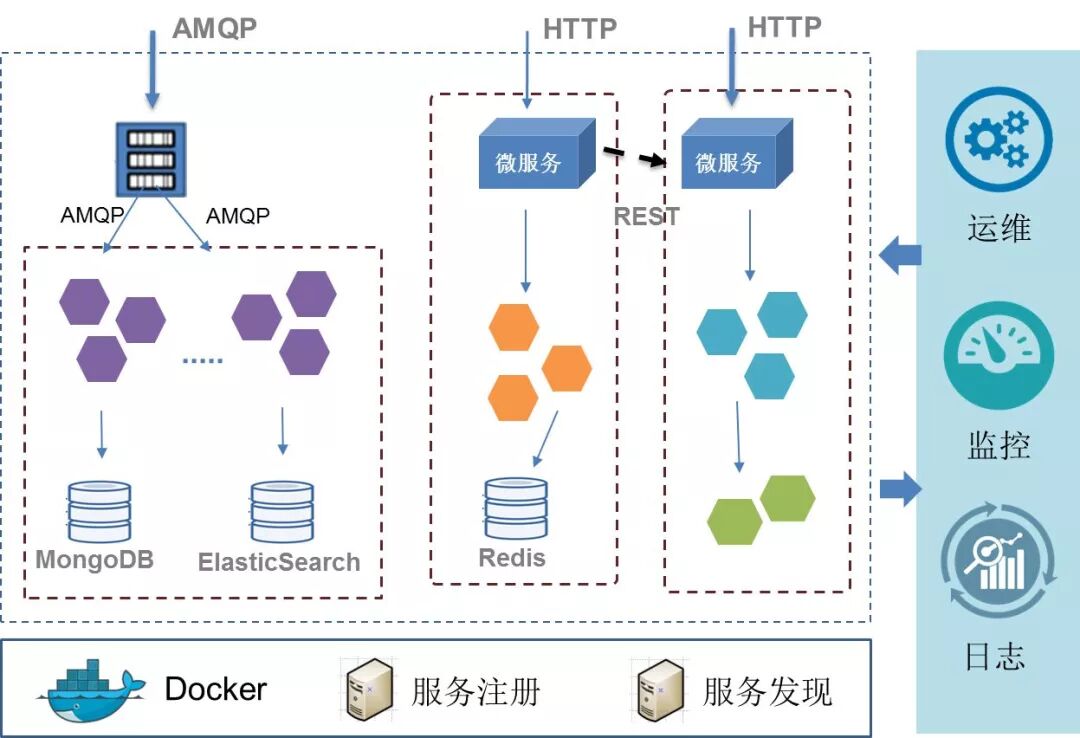
从近几年的技术发展来看,行业里提到微服务应用场景越来越多,是时候能够提升目前的业务扩展能力了。相比于传统的EJB,SOA的方案,微服务是一种相对于更加轻量的方案,在Java领域有很多种实现,spring cloud算是一种,还有比如dubbo等等。
我们就简单演示下如何通过idea的工具来创建一个简单的微服务应用,以此为切入点,我们会牵扯出整个微服务的额整体设计,来尽可能达到融会贯通的的。
我们创建一个全新的工程。
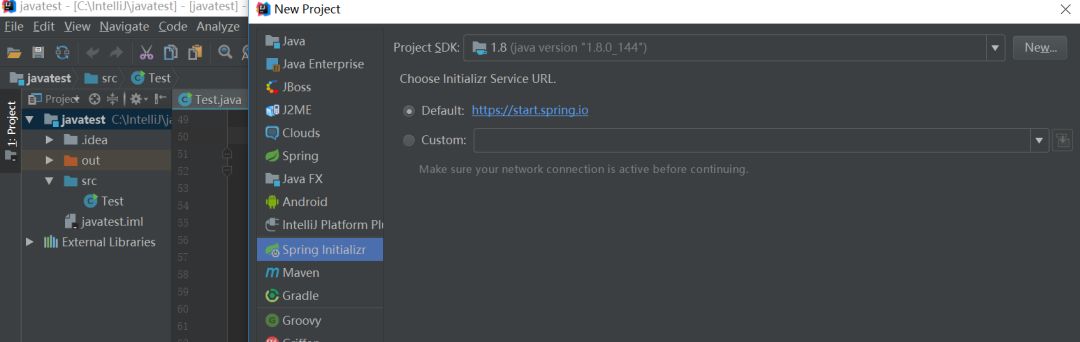
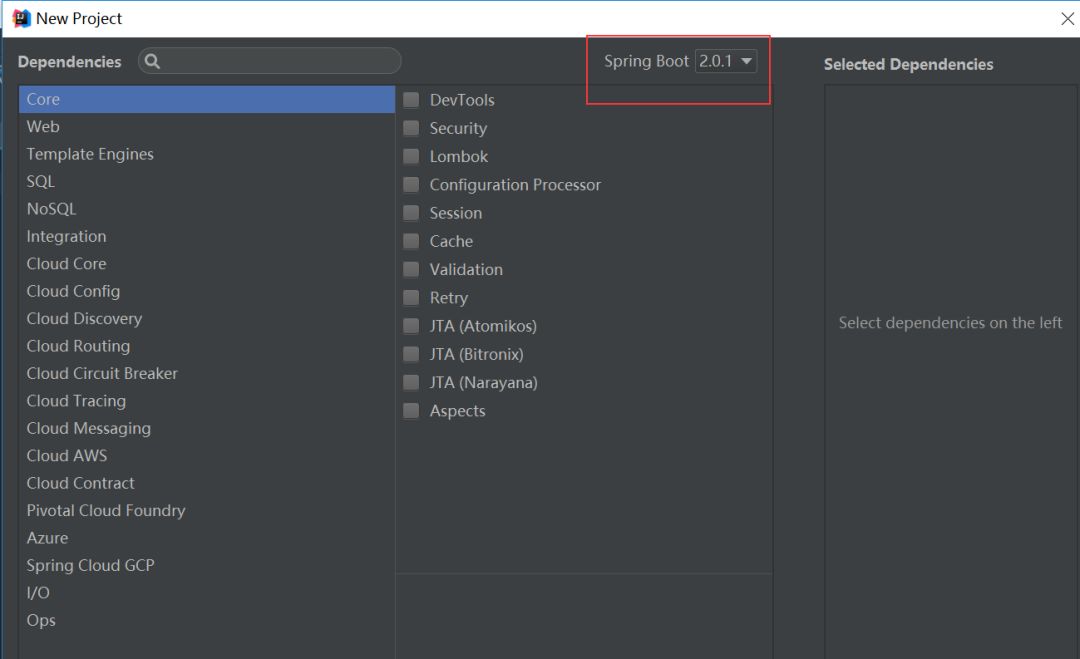
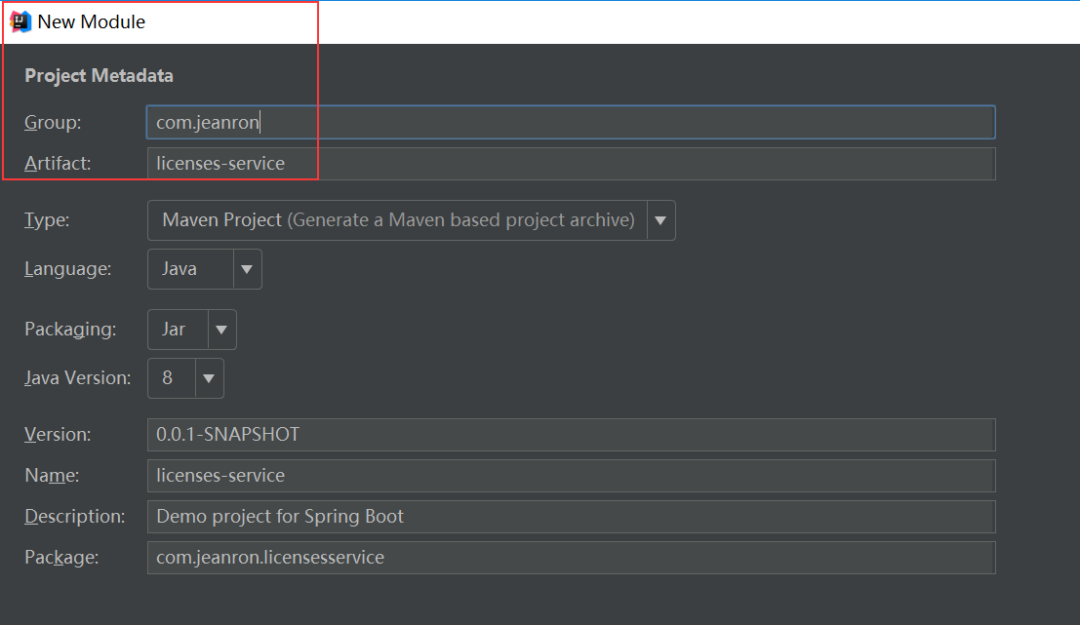
注意下如下的配置。
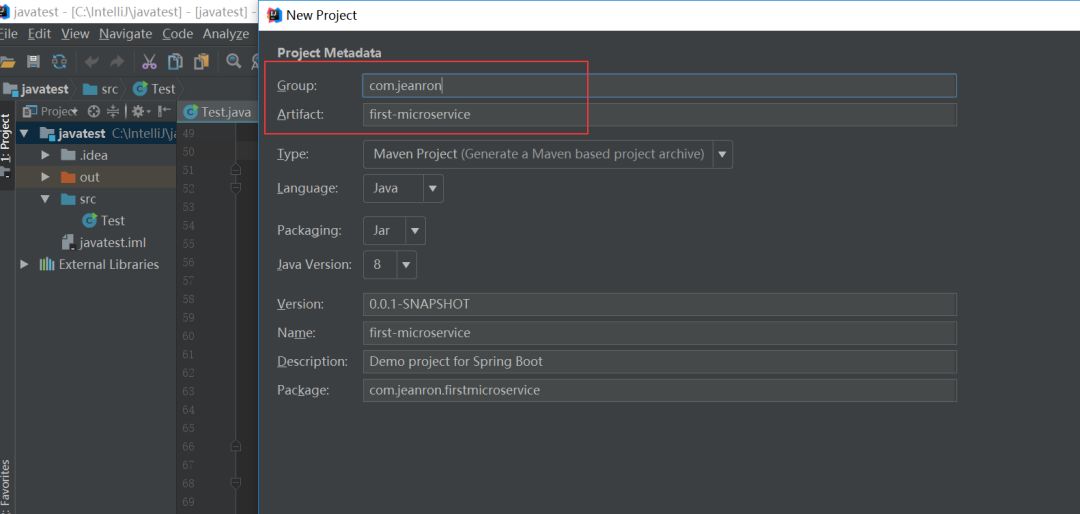
这里我们选择的sping boot 2.0+的版本。
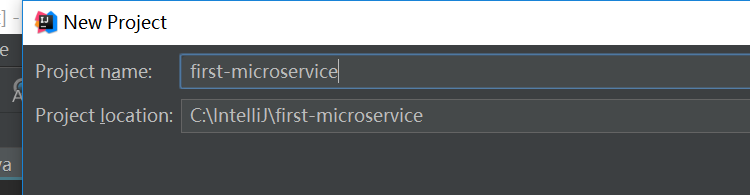
输入项目名
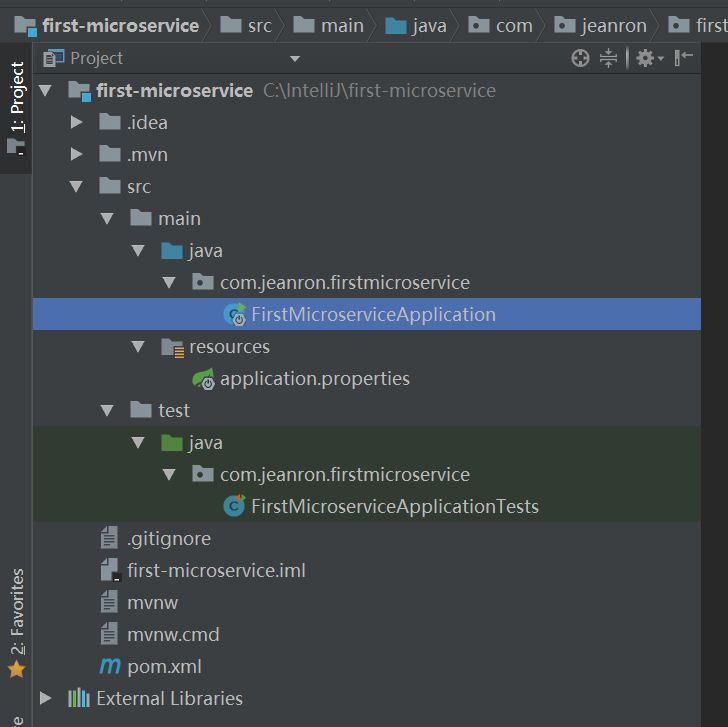
这是一个创建成功后初步的状态。
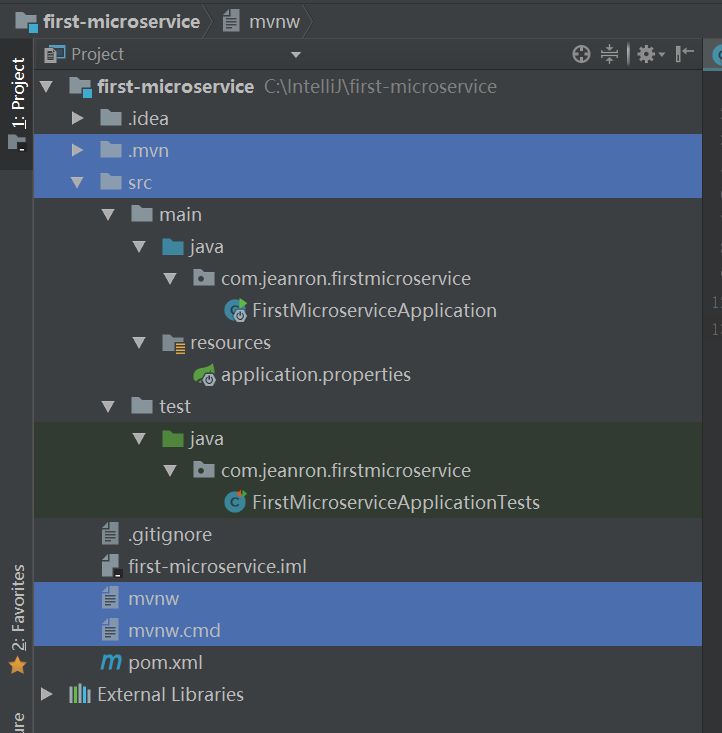
我们把如下的文件删掉,准备加入模块,这样项目变成一个父项目,我们在此基础上创建一个子项目
这个时候是 新建一个模块(module)
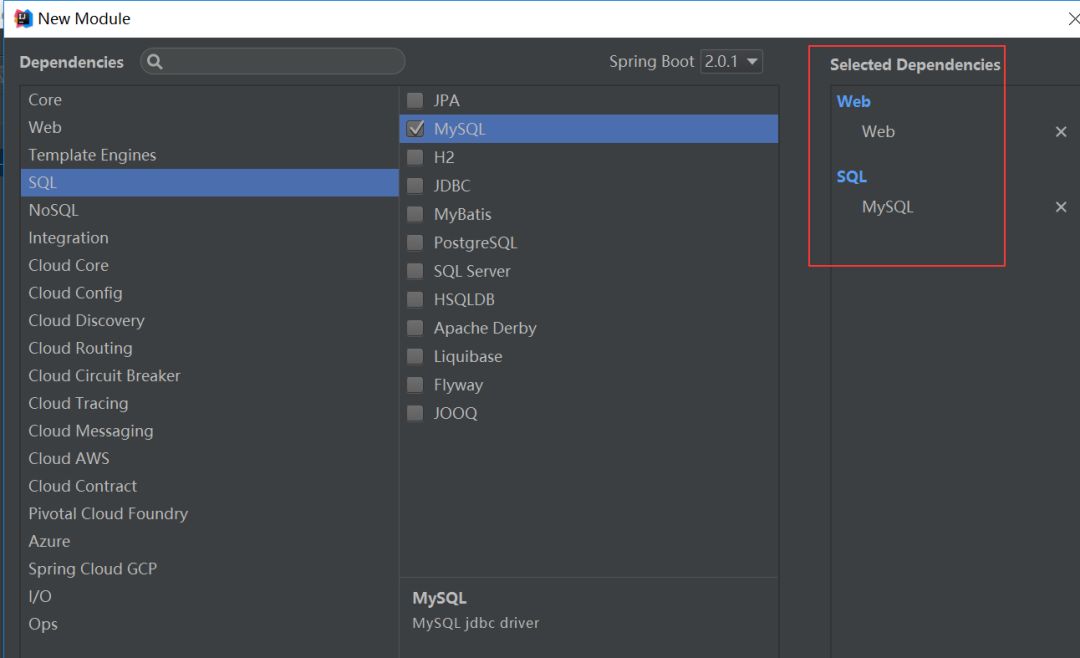
这个地方选择web和数据源为MySQL,当然你也可以选择其他的,先按照这个配置吧。
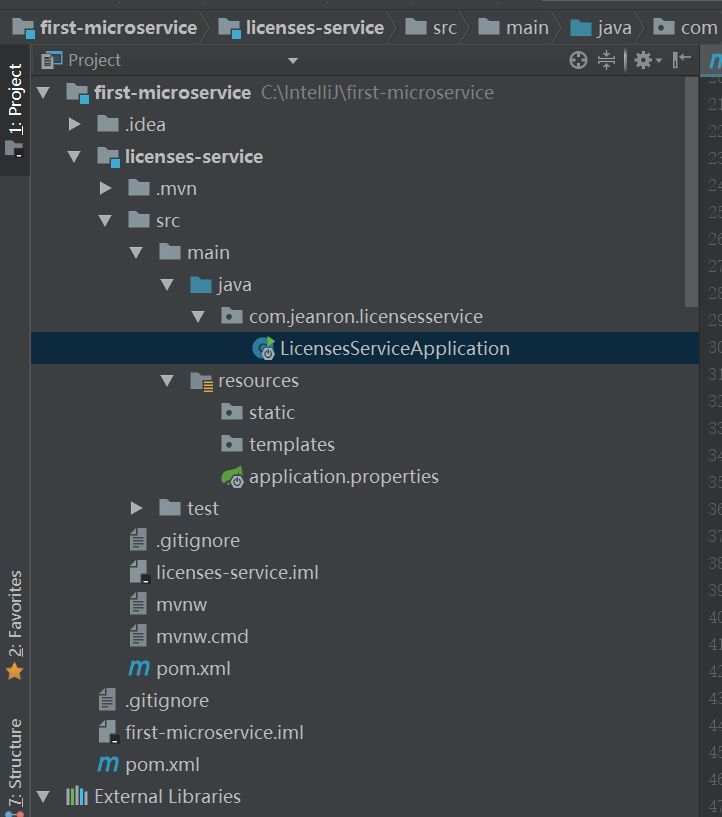
创建成功后的状态如下:
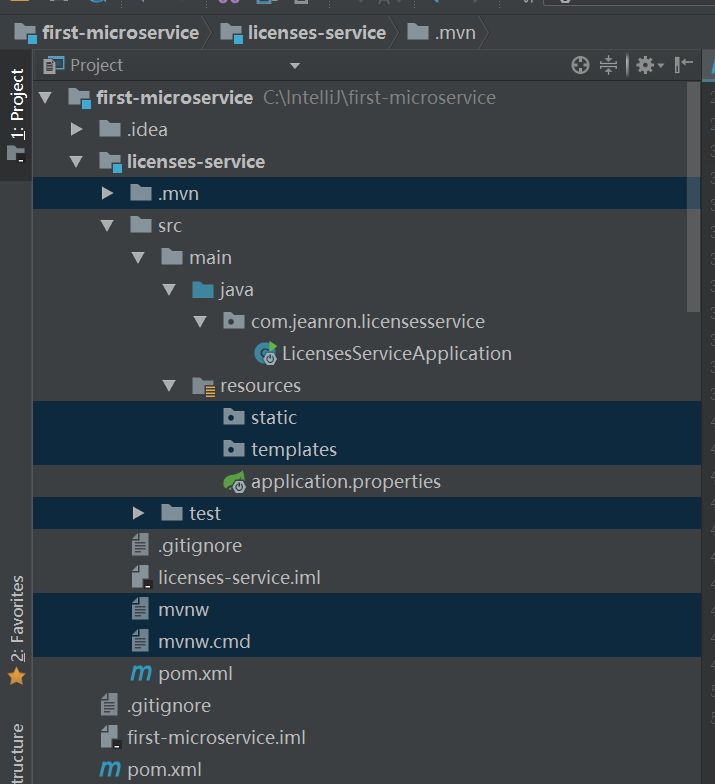
我们把如下的几个文件删掉,开始创建自定义类。
初步的目录结构如下,分别是License,LicenseServiceController
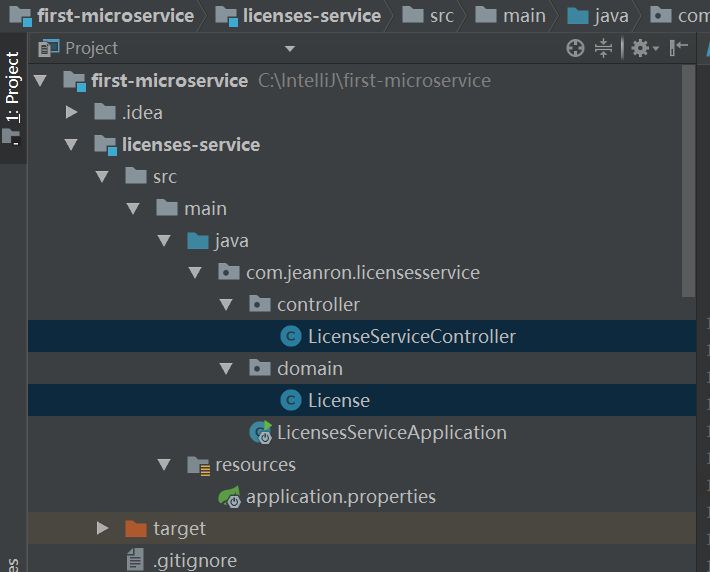
两个类的内容如下:
package com.jeanron.licensesservice.domain;

public class License{
    private String licenseId;
    private String organizationId;
    private String productName; private String licenseType;
    public String getLicenseId() { return licenseId; }
    public void setLicenseId(String licenseId) { this.licenseId = licenseId; }
    public String getOrganizationId() { return organizationId; }
    public void setOrganizationId(String organizationId) { this.organizationId = organizationId; }
    public String getProductName() { return productName; }
    public void setProductName(String productName) { this.productName = productName; }
    public String getLicenseType() { return licenseType; }
    public void setLicenseType(String licenseType) { this.licenseType = licenseType; }
    public License withLicenseId(String licenseId){ this.setLicenseId( licenseId ); return this; }
    public License withOrganizationId(String organizationId){ this.setOrganizationId(organizationId); return this; }
    public License withProductName(String productName){ this.setProductName(productName); return this; }
    public License withLicenseType(String licenseType){ this.setLicenseType(licenseType); return this; }
}
package com.jeanron.licensesservice.controller;

import org.springframework.http.HttpStatus;
import org.springframework.web.bind.annotation.PathVariable;
import org.springframework.web.bind.annotation.RequestMapping;
import org.springframework.web.bind.annotation.RequestMethod;
import org.springframework.web.bind.annotation.ResponseStatus;
import org.springframework.web.bind.annotation.RestController;

import com.jeanron.licensesservice.domain.License;

/** * 该注解相当于@ResponseBody + @Controller合在一起的作用 * 会将request/response序列化/反序列化为JSON格式 */
@RestController
@RequestMapping(value="v1/organizations/{organizationId}/licenses")
public class LicenseServiceController {
    @RequestMapping(value="/{licenseId}",method = RequestMethod.GET)
    public License getLicenses( @PathVariable("organizationId") String organizationId,
                                @PathVariable("licenseId")
                                        String licenseId) { //@PathVariable能将URL中{organizationId}、{licenseId}映射到方法的变量organizationId、licenseId
        return new License() .withLicenseId(licenseId) .withOrganizationId(organizationId) .withProductName("OpsAPI") .withLicenseType("Database"); }
    @RequestMapping(value="{licenseId}",method = RequestMethod.PUT)
    public String updateLicenses( @PathVariable("licenseId") String licenseId) {
        return String.format("This is the put"); }
    @RequestMapping(value="{licenseId}",method = RequestMethod.POST)
    public String saveLicenses( @PathVariable("licenseId") String licenseId) {
        return String.format("This is the post"); }
    @RequestMapping(value="{licenseId}",method = RequestMethod.DELETE)
    @ResponseStatus(HttpStatus.NO_CONTENT)
    public String deleteLicenses( @PathVariable("licenseId") String licenseId) {
        return String.format("This is the Delete");
    }
}
看代码还OK,但是实际配置的时候,第二个类的环境配置是个难点,很容易漏掉一些东西,导致编译失败。我能给出的建议就是耐心一些,再耐心一些。
启动下服务,idea里面启动还是很方便的。
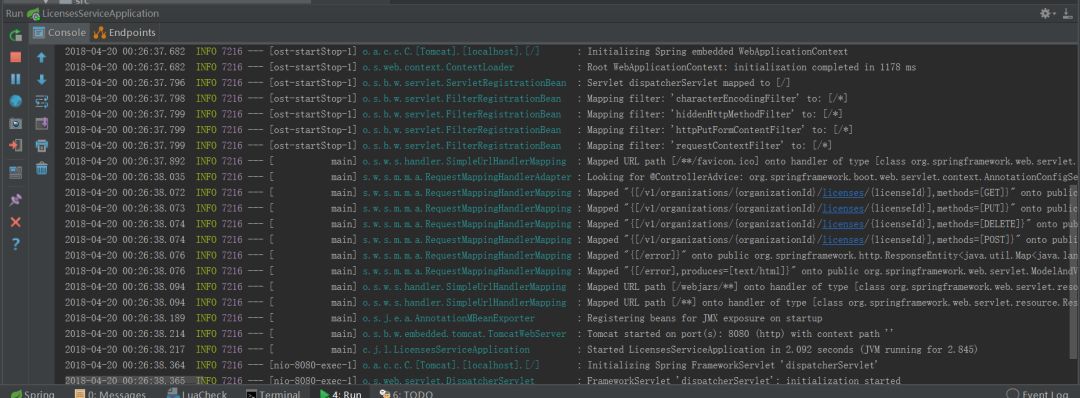
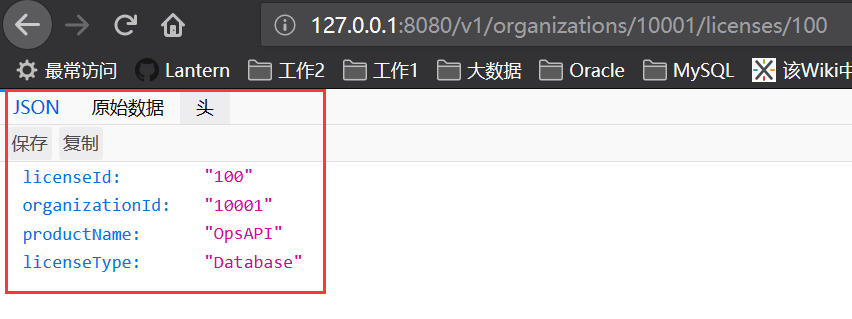
通过浏览器,我们能够根据输入的参数,经过处理,封装成一个json串返回。